Starting a website today has become incredibly simple, especially when your hosting provider offers cPanel as part of the package. For beginners, cPanel works as a user-friendly dashboard that allows you to control every important aspect of your hosting without needing any technical knowledge. From managing domains and files to setting up emails and installing applications, everything can be done from a single interface. One of the biggest advantages of cPanel is that it removes the complexity usually associated with website creation. Instead of dealing with coding or server configurations, beginners can rely on built-in tools and auto-installers like Softaculous to launch a fully functional website in just a few minutes, making it the perfect starting point for anyone entering the digital space.
Table of Contents
ToggleWhy cPanel Apps Are Perfect for Beginners
The reason cPanel apps are so popular among beginners is that they are designed with simplicity and efficiency in mind. These applications allow users to create different types of websites such as blogs, business websites, online stores, and portfolios without hiring a developer. Everything is pre-configured, which means you don’t have to worry about technical setup or backend processes. You simply choose an application, install it with one click, and start customizing your website according to your needs. This ease of use not only saves time but also reduces the chances of errors, which is especially important for beginners who are just learning how websites work.
WordPress: The Most Popular Website Builder
When it comes to building a website through cPanel, WordPress is undoubtedly the most preferred option for beginners due to its flexibility, ease of use, and massive ecosystem. It powers a large percentage of websites globally and offers thousands of themes and plugins that allow users to create any type of website they want. With cPanel, installing WordPress hosting is extremely simple and takes only a few minutes. Once installed, beginners can easily customize their website’s design, add pages, publish blog posts, and integrate features like contact forms, SEO tools, and social media sharing. The intuitive dashboard makes it easy to manage content, even for users who have never built a website before, making WordPress an ideal choice for launching quickly.
Joomla: A Flexible Content Management System
Joomla is another powerful application available in cPanel understanding that offers more flexibility in terms of content management and website structure. Although it may feel slightly more advanced compared to WordPress, it is still beginner-friendly once you understand its interface. Joomla is particularly useful for users who want to create structured websites such as directories, community platforms, or business portals. It provides strong control over content organization and user management, which can be beneficial for growing websites. Beginners who are willing to spend a little time learning Joomla can benefit from its robust features and scalability.
PrestaShop and Magento for eCommerce Websites
For those who want to launch an online store, cPanel provides access to powerful eCommerce platforms like PrestaShop and Magento, both of which are designed to handle everything required for selling products online. These platforms come with built-in features such as product listing, payment gateway integration, order management, and inventory tracking, allowing beginners to set up a complete online business. While the initial setup may require some learning, both platforms offer themes and extensions that simplify the process. Once configured, they provide a professional and scalable solution for managing an online store, making them a great choice for beginners entering the eCommerce space.
Website Builders for Quick Setup
If your goal is to create a simple website in the shortest time possible, then using a website builder available in cPanel can be the best option. These builders are designed with drag-and-drop functionality, which means you can design your website visually without writing a single line of code. You can add text, images, buttons, and forms by simply dragging elements onto the page, making the entire process fast and intuitive. This is especially useful for beginners who want to create a basic website or landing page without dealing with complex settings or configurations.
Drupal for Advanced and Scalable Websites
Drupal is known for its powerful features, high level of security, and ability to handle complex websites, making it a suitable option for users who plan to scale their website in the future. Although it may not be as beginner-friendly as WordPress, it is still accessible for those who are willing to learn. Drupal offers advanced customization options and is often used for large-scale websites that require strong performance and flexibility. Beginners who start with Drupal can build a solid foundation for long-term growth and expansion.
phpBB for Community and Forum Websites
Creating an online community or forum is also possible through cPanel apps with applications like phpBB, which allows users to build discussion platforms where people can interact, share ideas, and ask questions. This type of website is ideal for niche communities, support forums, or membership-based platforms. phpBB provides features like user registration, topic creation, moderation tools, and private messaging, making it easy to manage and grow an online community even for beginners.
Concrete5 for Easy Website Management
Concrete5 is another beginner-friendly application that offers a unique approach to website management by allowing users to edit content directly on the page. This eliminates the need to switch between backend and frontend views, making it easier to understand and manage. It is particularly useful for small business owners and freelancers who want a clean and simple way to update their website without dealing with technical complexities. The intuitive interface makes it accessible even for users with no prior experience.
Softaculous: One-Click Installation Made Easy
Softaculous plays a crucial role in simplifying the process of installing applications in cPanel apps by providing a one-click installation system for hundreds of apps. Instead of manually setting up databases and uploading files, Softaculous automates the entire process, ensuring a smooth and error-free installation. This feature is extremely beneficial for beginners as it saves time and removes the fear of making mistakes during setup.
Built-In Security Features of cPanel Apps
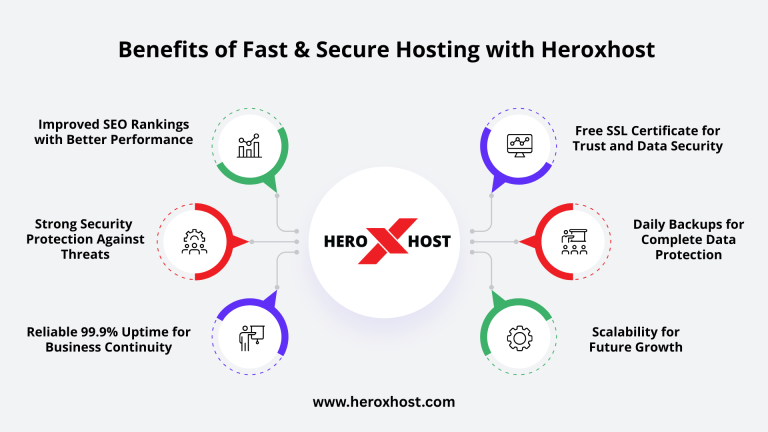
Security is an essential aspect of any website, and cPanel apps are designed to provide basic protection through regular updates, authentication systems, and security plugins. Beginners can enhance their website’s security by enabling features like SSL certificates, strong passwords, and automated backups. These built-in options help protect the website from common threats and ensure a safe browsing experience for visitors.
Improving Website Speed and Performance
Website speed plays a major role in user experience and search engine rankings, and cPanel apps are generally optimized to perform efficiently on hosting servers. Beginners can further improve performance by using caching plugins, optimizing images, and integrating content delivery networks. A fast website not only keeps visitors engaged but also increases the chances of conversions and better rankings on search engines.
Scalability and Future Growth
One of the biggest advantages of using cPanel applications is their ability to grow with your website. As your needs evolve, you can easily add new features such as contact forms, analytics tools, SEO plugins, and marketing integrations. This flexibility allows beginners to start with a simple website and gradually expand it into a fully functional online platform without switching to a different system.
SEO Benefits of Using cPanel Applications
cPanel applications are designed with SEO-friendly structures, making it easier for search engines to crawl and index your website. Beginners can optimize their content by adding meta titles, descriptions, keywords, and internal links without requiring advanced technical knowledge. This helps improve visibility on search engines and attract organic traffic, which is essential for online growth.
Professional Email Integration with cPanel
Another useful feature of cPanel apps is the ability to create professional email accounts linked to your domain, which adds credibility to your brand. You can easily connect these email accounts with your website applications and use them for communication with customers, inquiries, and support. This creates a more professional image and builds trust with your audience.
Choosing the Right App Based on Your Needs
Selecting the right application depends on your specific goals and requirements. If you want an easy and flexible solution, WordPress is usually the best choice. For eCommerce, PrestaShop or Magento are more suitable, while website builders are ideal for quick and simple setups. Understanding your objectives will help you make the right decision and avoid unnecessary complications.
Importance of Choosing the Right Hosting Provider
A reliable hosting provider is essential for ensuring smooth performance and accessibility of your cPanel applications. Good hosting ensures high uptime, fast loading speeds, and easy access to tools like Softaculous, which directly impacts your website’s success. Beginners should always choose a hosting provider that offers strong support and optimized performance.
Conclusion: Launch Your Website with Ease
In conclusion, cPanel apps provides a powerful yet simple way for beginners to launch a website quickly using a variety of ready-to-install applications. Whether you want to create a blog, business website, or online store, there is an app available to suit your needs. With features like one-click installation, user-friendly interfaces, built-in security, and scalability, cPanel apps eliminates the technical barriers of website creation and empowers anyone to build a professional online presence with confidence and ease.
Frequently Asked Questions (FAQs)
1. What is cPanel and why is it useful for beginners?
cPanel is a user-friendly control panel that helps beginners manage hosting, domains, and websites easily without technical knowledge.
2. Which is the best cPanel app for beginners to start a website?
WordPress is the best cPanel apps for beginners due to its ease of use, flexibility, and wide range of themes and plugins.
3. How do I install applications in cPanel?
You can install apps in cPanel apps using Softaculous by selecting an app and clicking the one-click install option.
4. Can I create an eCommerce website using cPanel?
Yes, you can create an eCommerce website using apps like PrestaShop or Magento available in cPanel.
5. Do I need coding knowledge to use cPanel apps?
No, cPanel apps are designed for beginners and do not require any coding knowledge.
6. Are cPanel applications secure?
Yes, cPanel applications are secure when regularly updated and configured with basic security settings.
7. Can I upgrade or scale my website later?
Yes, you can easily scale your website by adding features, plugins, and upgrading your hosting plan.